
Shopware Store Plugins for Modern E-Commerce Stores
Discover Shopware plugins published by BrandCrock to improve checkout, performance, store management, and customer experience.


Top BrandCrock Plugins to Grow Your Store

WhatsApp Chat with Customers
Chat with your customers through WhatsApp, the most popular messaging app. Essential module for your shop. It will enable you to create stronger relationships with your customers
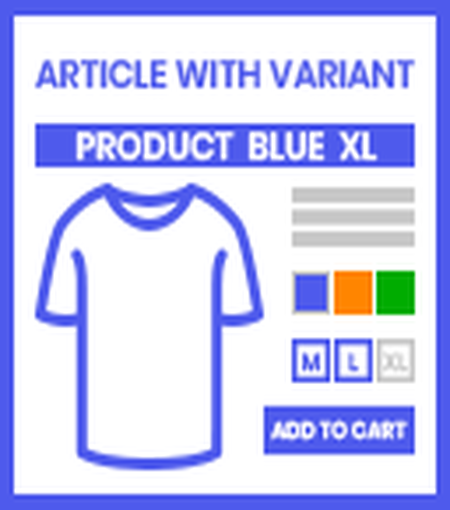
Article with variants name
This plugin is introduced to display the Article with variants name in detail page. If you sell T-shirt in blue color and size Medium then the name will be display: T-Shirt Blue M

Gurado integration
This gurado connector plugin helps to connect your shopware 6 shop system with gurado voucher system in few easy steps. The voucher code needs to be purchased and then applied in shop

BigBuy Dropshipping Shopware Connector
Synchronize E-commerce store with the BigBuy catalogs for Shopware 6. If you want to automatically synchronize with BigBuy and to sell thousands of items on online store.

FAQ Manager
The Topseller plugin helps you show the popularity of a product on the relevant product details page. This plugin can be used to display the number of customers who brought the product recently.

360 degree Product image viewer
Enhance your store with 360 ° product view. This plugin can be used to display product 360 degree view by adding product images and display them easily on the article detail page.

Automatic Currency Switch I Customer Login Based
This plugin gives the facility to automatically switch currency when customer select their country at the time of login. Whenever customer login then plugin switch currency automatic.

Dual display of Tax included & Tax excluded price
This plugin allow you to show both tax included and tax excluded prices for products in your store. In settings of this plugin you can choose in which places you can display both prices

Customer Discount Request
Customer Discount Request plugin for Shopware 6 allows registered users to request a price discount for large number of products. Users can choose the quantity and the discount %

Customer Membership Program
Customer Membership Offer plugin allows you to registered users under silver, gold and platinum plans. The shop admin can define the minimum purchase amount.

Advance Mega Menu
Advanced Mega Menu plugin allows you to add tabs to the menu bar with content selected by the store owner. Visitors hover the menu navigation the category & subcategory images change.

Ticket System
Customer can purchase ticket for events using this ticketing system. This ticketing system will be useful during any event or festival time when there is an event happening

Topseller
The Topseller plugin can be used to display the number of customers who brought the product recently. Customer count increases within a specific period.

Top seller in Search bar
By using this plugin you can increase the sales by showing the trending products of the shop to the end customer with just a single click or touch in search input field.

Order Restriction for ZIP code
This plugin allows the shop owner to restrict orders for a specific area, city, state and country. Shop owner can mention specific Zip/ Postal codes to get the orders from these places.
Order Status Analytics
Order Status Analytics plugin adds detailed insights and visuals to the order page. Customers can easily see the current status of their overall orders.
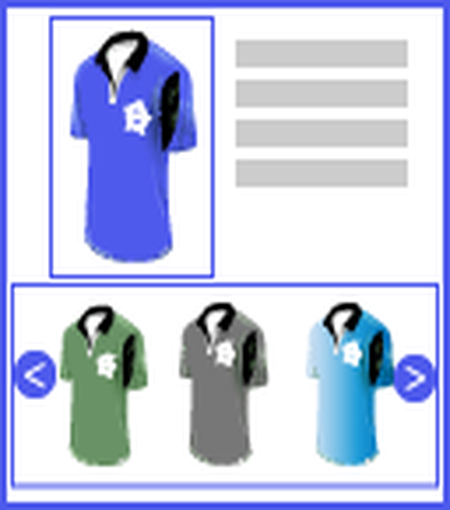
Crossselling Alternative Products Slider
The Alternative Products plugin allows to see alternative (cross-selling) products on product detail page. Maximum 10 similar products can be displayed in Slider on product detail page.

Remember My Basket
Remember My Basket lists customers’ recently bought items under the My Basket tab in the main menu. Customers can add their favorite products directly to the cart at a discounted price.

Customer Profile Picture
Customer Profile Picture plugin for Shopware 6 allows users to change their profile picture in the Shopware online shop. Once the plugin is enabled, the shop front-end shows an option

Verify Product Delivery I Delivery Date
BrandCrock Product Availability plugin is built to help end-user check if a product can be delivered to their ZIP Code and view the delivery date when a zip code is entered.
Product FAQ TAB | Detail page
Easy access to product questions and answers on the product detail page. Hence the FAQ tab on every product detail page creates a comprehensive knowledge base for users.
Show Subcategory Image I Title on Menu Navigation
Display Subcategory images with titles on Menu Navigation. When you click on any main category, it will display all relevant subcategories along with image & its titles.

Variant products in detail page
This plugin allows Visitors to see all product variants in product detail page. Visitors can add multiple variants with quantity at a time or add all product variants by a single click.
Show Variant Product Price Range (min - max)
The Price Range plugin is used to display the minimum and maximum prices of variant products.The Customers are not able to get the price ranges of Variant Products
What Our Clients Say
Trusted by businesses worldwide for seamless Shopware solutions that drive real growth.


Mathias Beckmann
Praktische Erfahrung mit dem Tool gibt es noch nicht, da erst seit Kurzem im Einsatz. Aber anfägliche technsiche Probleme konnten schnell und problemlos mit dem Support gelöst werden, um das Tool fehlerfrei einsetzen zu können!
Kerstin
Das Plugin ist einfach in der Handhabung und tut was es soll. Eine gewünschte Zusatzfunktion wurde sehr schnell umgesetzt. Schneller und toller Support. Gerne wieder.
Michael
Anbieter reagiert schnell und sehr zufriedenstellend auf Anfrage. Weiter so!
Chris
Der Support reagiert umgehend auf Feinheiten und setzt diese um.
Enrico Bloch
Owner
Automation-Enrico Bloch
Sehr gutes Plugin um die min. und max Preise der Produktvarianten darzustellen und ermöglicht eine bessere Übersicht für unsere Kunden. Nach anfänglichen kleinen Problemen, schneller und freundlicher Support mit schneller Lösung!
Joe Krane
Business Owner
Highscoresaves
I had a request for a change to this plug in…an easy way to change the name of the tab from PDF to something that could be customized. Sent an email and had a response quickly! The next morning (for me) The changes were made and works perfectly. Thanks guys!
Argjend Tutaj
The plugin is a must if you want to display further information as PDF. A really useful plugin! The plugin is very easy to install and configure, as there is also a video tutorial. If you are looking for such a function, you’ve come to the right place!
Jan Kilian
Owner
glas kilian
Sehr schneller und entgegenkommender Support. Eine individuelle Erweiterung konnte umgehend umgesetzt werden. Damit kann die Lagerbestandsanzeige im Listing und auf der Artikelseite getrennt eingestellt werden. 5 x 5 Sterne!
Lennart Stabenow
Managing Director
Cosimed GmbH
Das Plugin erfüllt das, was es verspricht. Wir hatten ein kleines Problem, da sich das Plugin nicht mit unserem Theme vertragen hat, aber der Support war super – es funktioniert jetzt alles reibungslos.
Roman Herbst
Baumarkt
Super Plugin. Einfach gemacht und macht genaudas was man braucht. Klare Empfehlung!
Hans Peter Plüss
Managing Director
Wynn Swiss
Leider haben wir auf eine einfache Frage nach 12 Tagen immer noch keine Antwort erhalten in der Testphase. Daher ist das Vertrauen nun sehr klein in diese Firma
Dirk Rissland
Ich habe das Plugin jetzt etwas länger im Einsatz. Leider hatten wir ein kleines technisches Problem bei dem Plugin was einen Fehler verursacht hat. Dies habe ich gemeldet. Noch am selben Tag kam eine Rückmeldung und am nächsten Tag war das Problem behoben. Genau so sollte ein Support aussehen. Zum Plugin: Es macht genau das was es soll. Von daher alles Tip Top!